请注意,本文编写于 887 天前,最后修改于 887 天前,其中某些信息可能已经过时。
目录
总体思路:
一. 使用openwrt进行pppoe拨号得到一个wan口地址;
二. 新增一个wireguard接口;
三. 使用dnsmasq进行国内外DNS解析分流,国内的dns走wan口,国外的dns走wireguard接口;
四. 使用mwan3和mwan3helper进行国内外ip地址分流;
wireguard配置
server端建立wireguard server,不在此详细说明,附上项目地址,执行脚本即可:
https://github.com/angristan/wireguard-install
openwrt 建立wireguard client:
- 网络-->接口-->添加新接口,协议选择Wireguard VPN
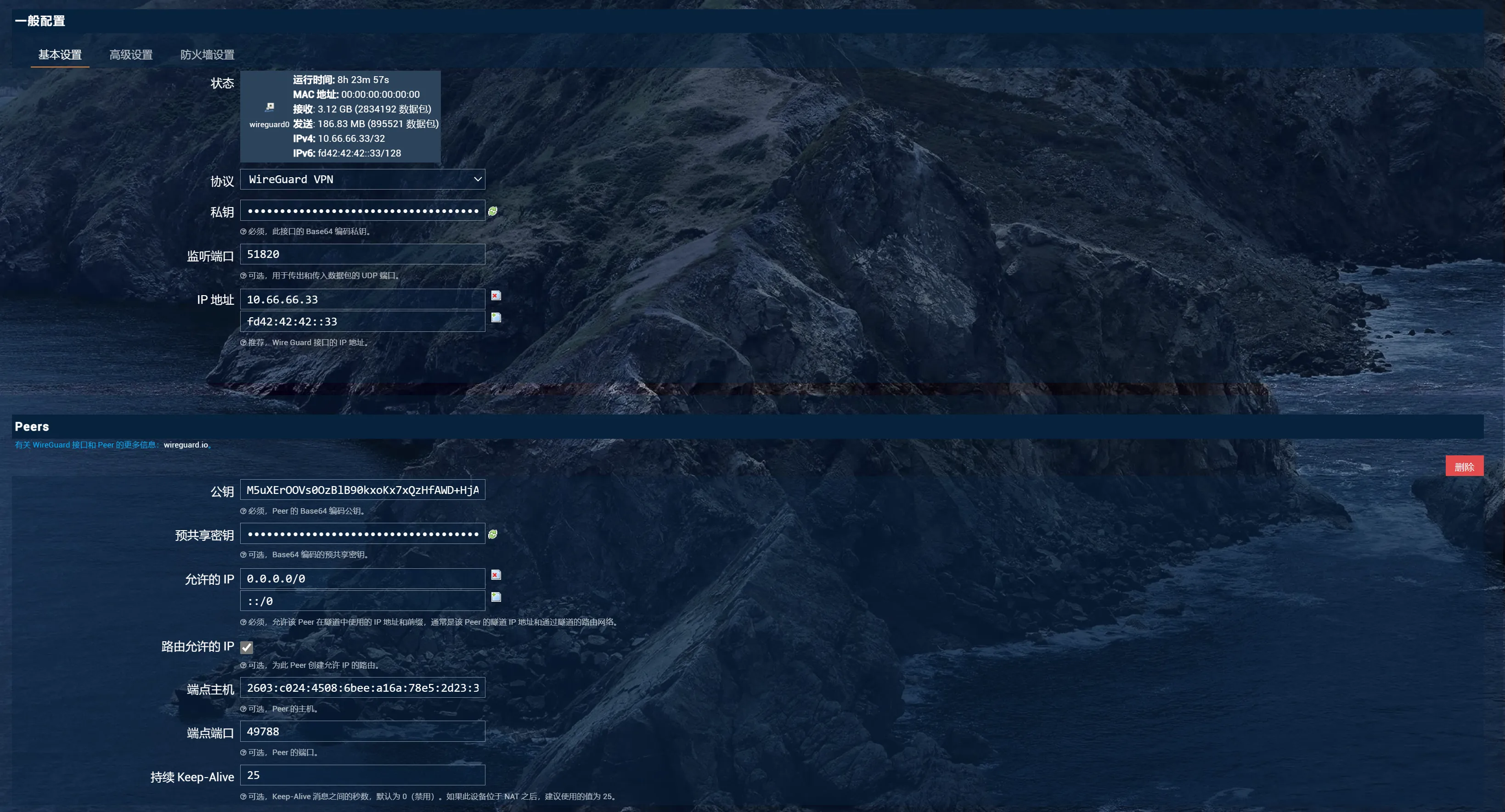

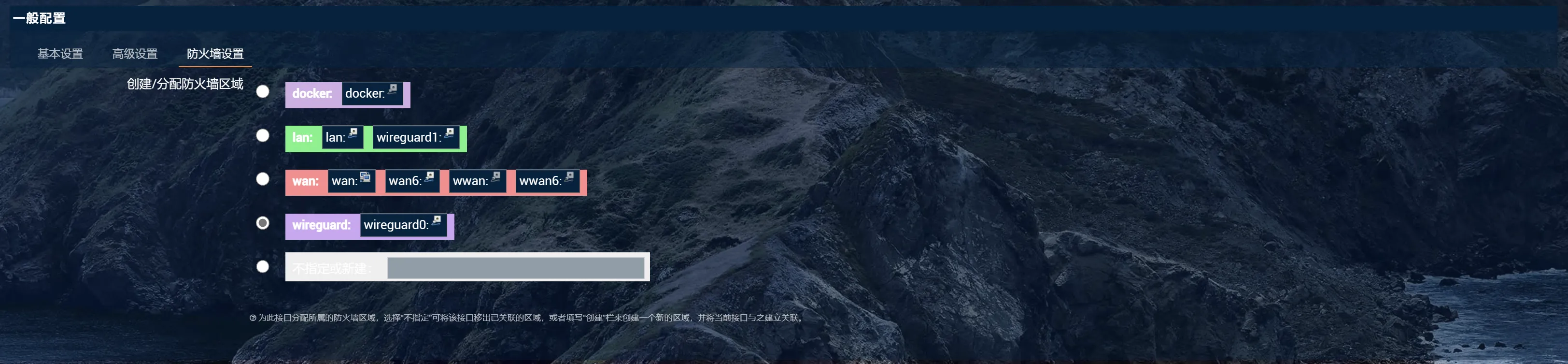 2. 增加防火墙配置

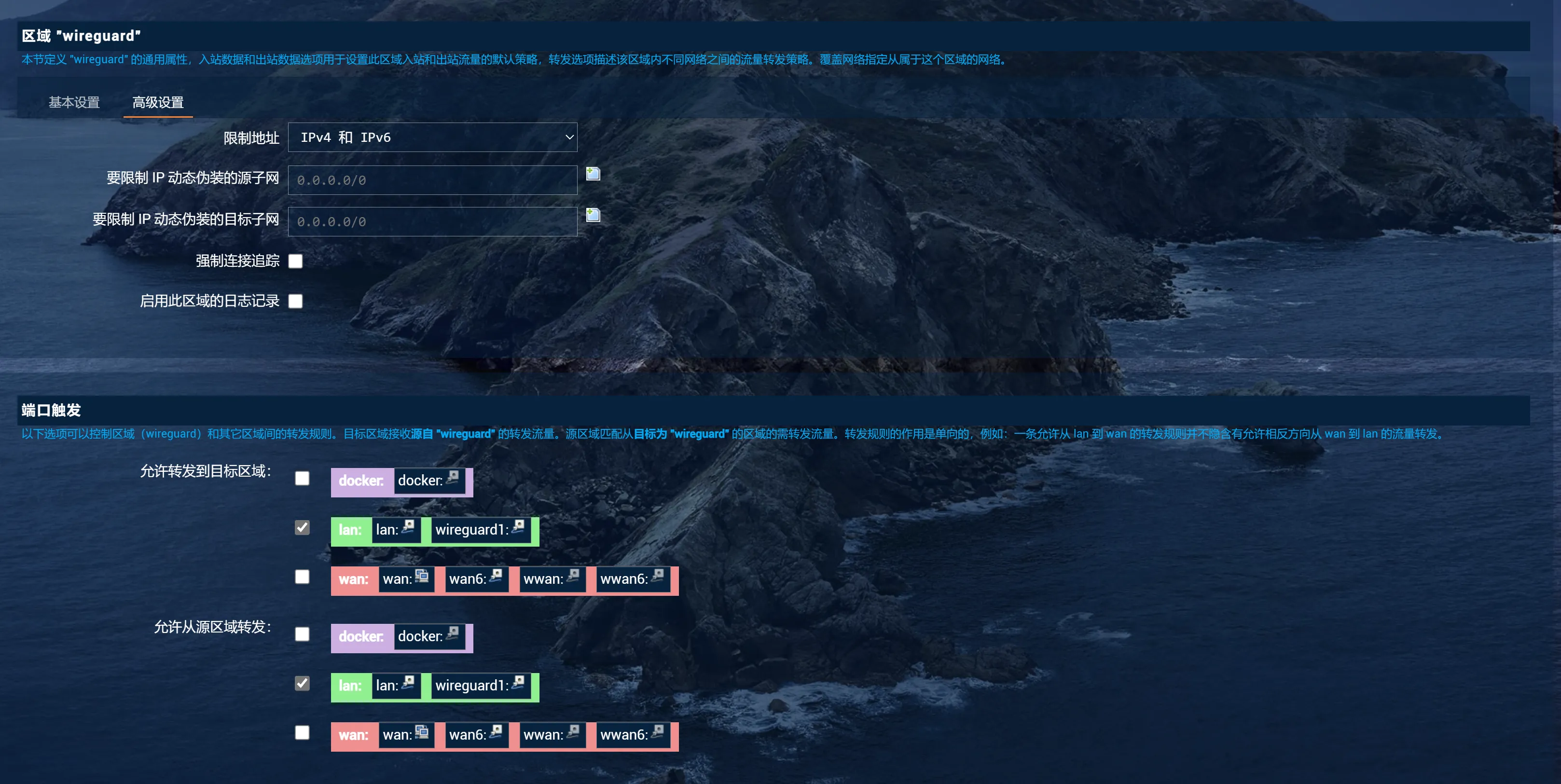
3.
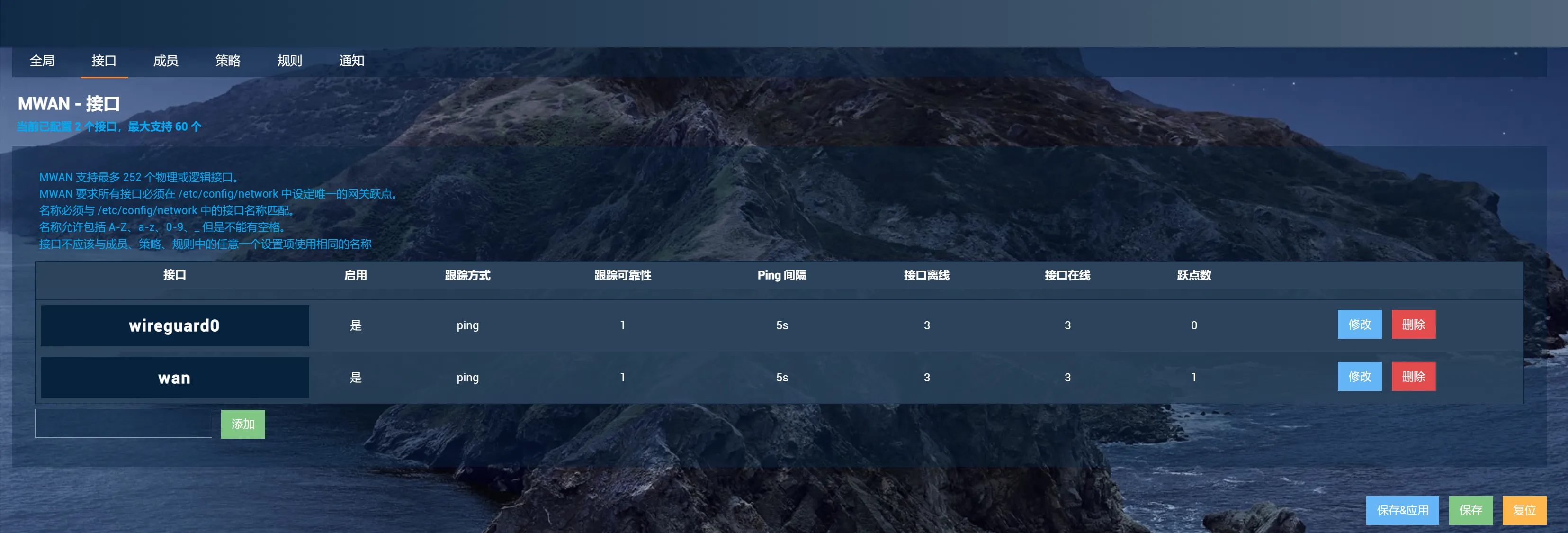
mwan3配置
网络-->负载均衡
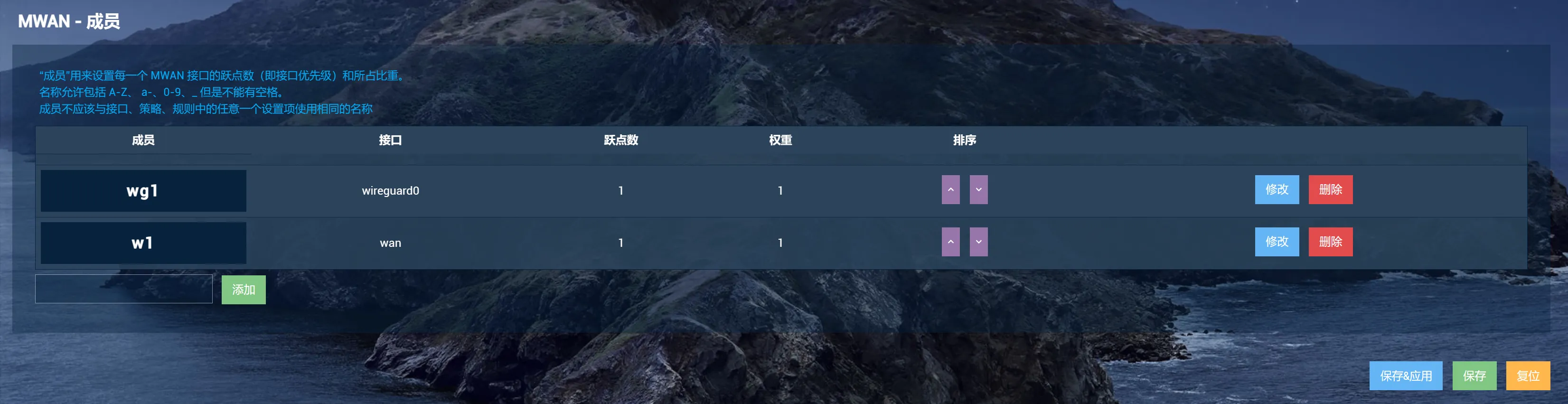
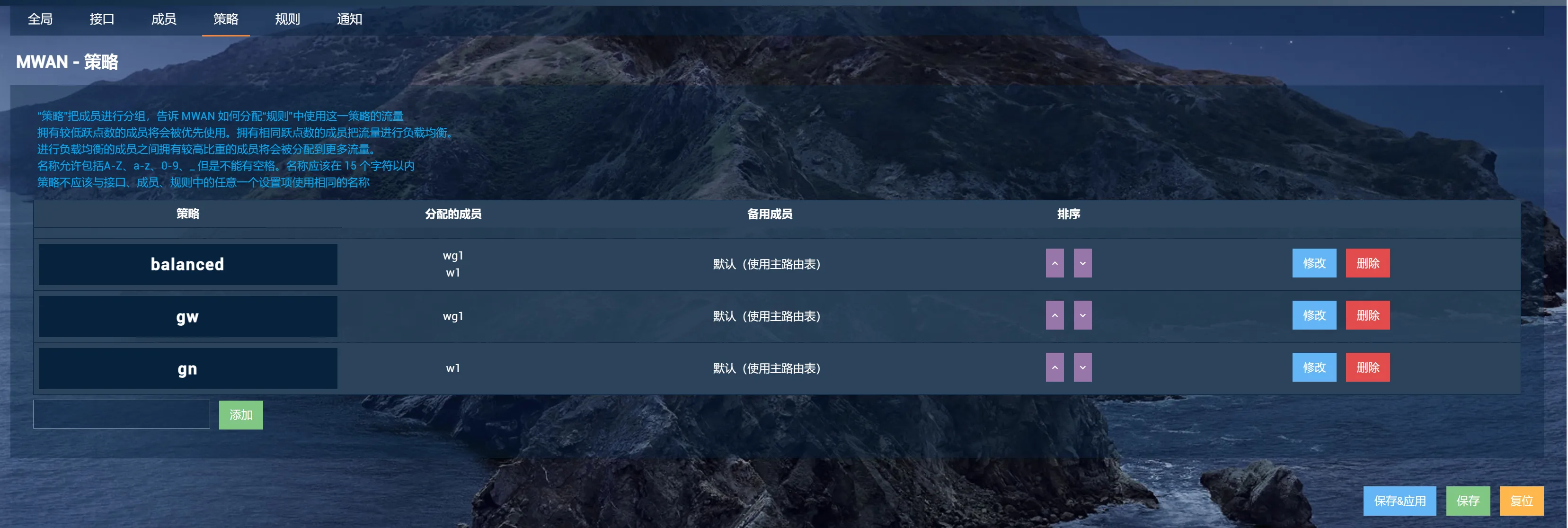
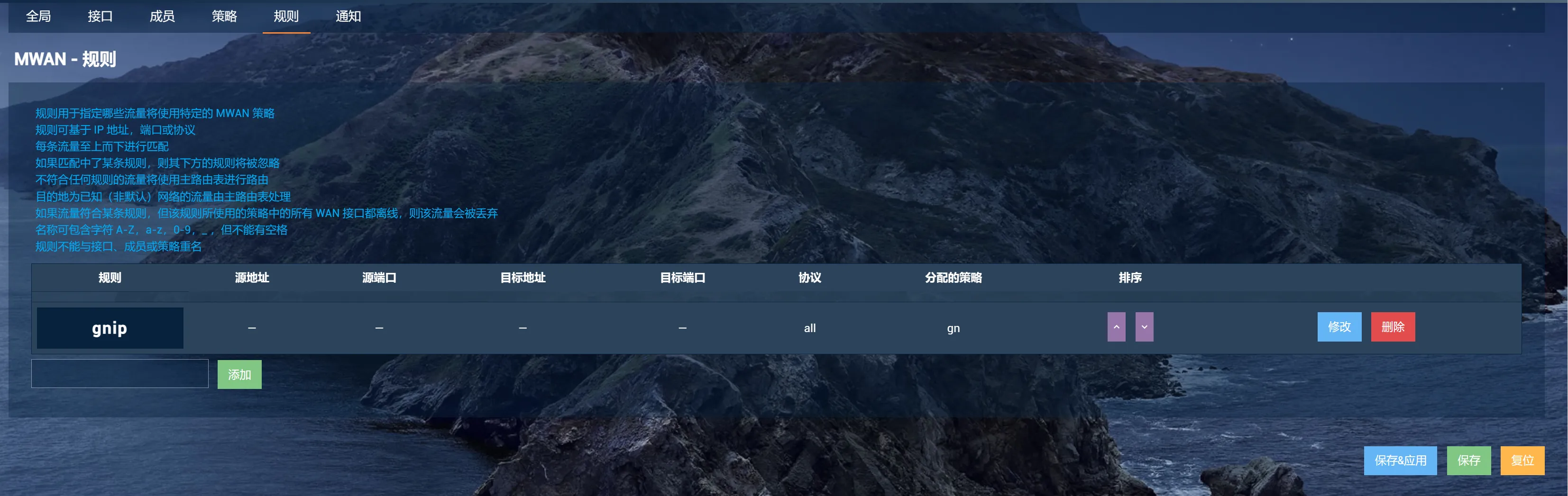
mwan3helper配置
服务-->mwan3分流助手
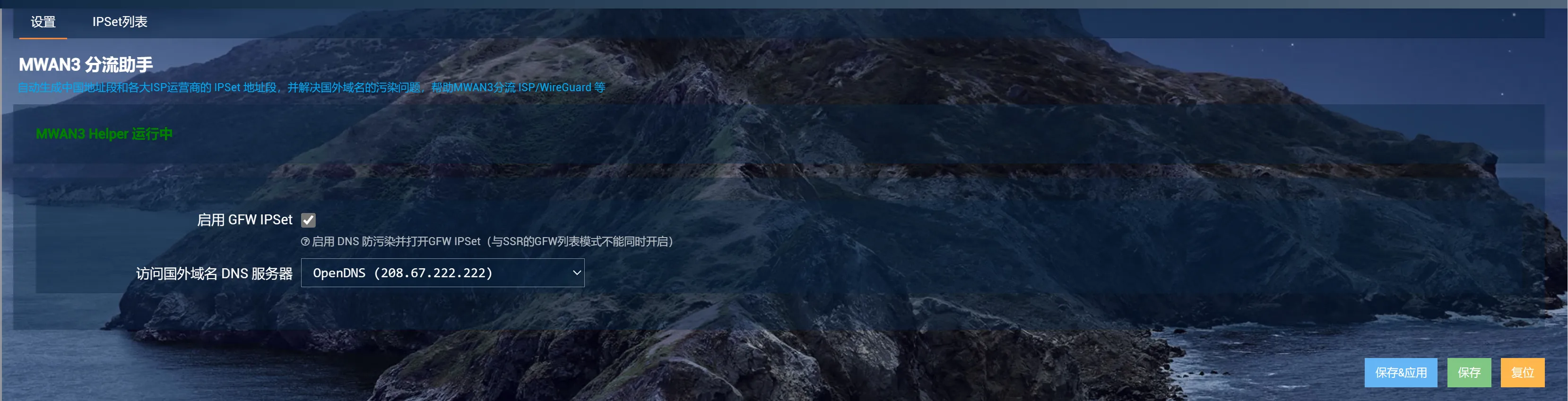

DNSmasq配置
- 下载域名配置文件
git clone git@github.com:felixonmars/dnsmasq-china-list.git
下载完成后将accelerated-domains.china.conf apple.china.conf bogus-nxdomain.china.conf google.china.conf四个文件拷贝到openwrt系统的/etc/dnsmasq.d/目录下
2. 修改dnsmasq配置文件
root@OpenWrt:/etc/dnsmasq.d# cat /etc/dnsmasq.conf
log-facility=/dev/null
conf-dir=/etc/dnsmasq.d
no-resolv
server=8.8.8.8
server=1.1.1.1
- 重启dnsmasq
/etc/init.d/dnsmasq restart
本文作者:Free Birds
本文链接:
版权声明:本博客所有文章除特别声明外,均采用 BY-NC-SA 许可协议。转载请注明出处!
目录